Showing posts with label Adobe Experience Manger. Show all posts

How to Analyze Queries and create OAK Index definitions in AEM (Adobe Experience Manager)

How to Analyze Queries and create OAK Index definitions in AEM(Adobe Experience Manager)

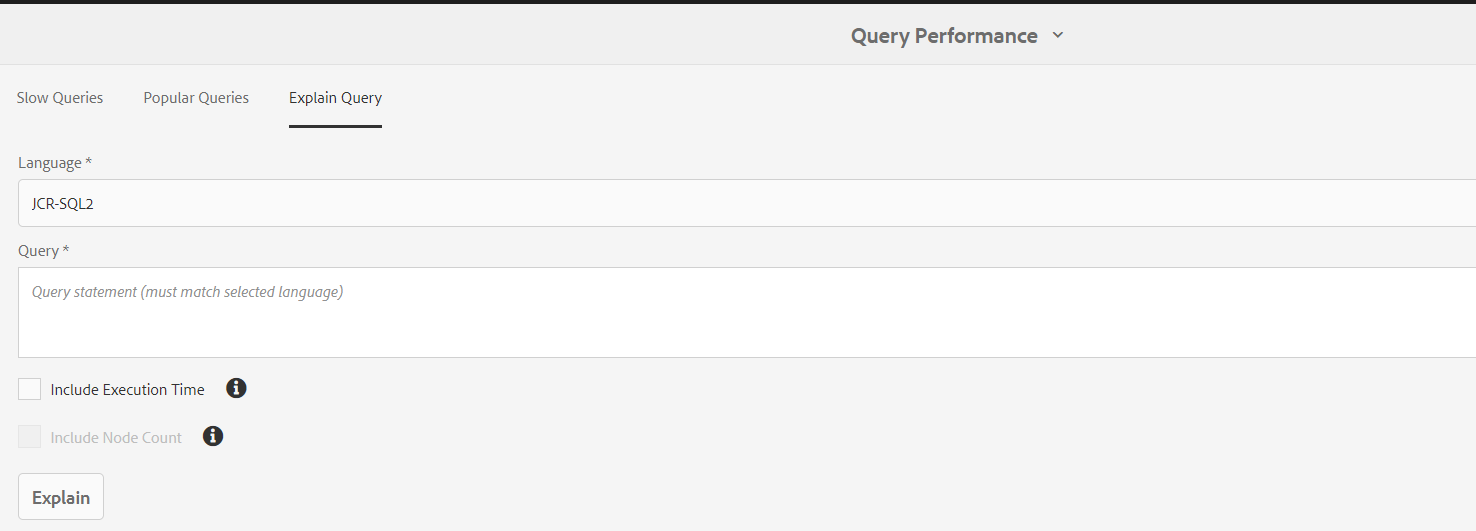
In AEM there are many tools to diagnosis the AEM repository. Query performance manager is one of them. By using this tool, we can find both slow and popular queries. And, it will explain the given query which index it is being used, how much time will take to run. This will explain the JCR-SQL2, SQL, XPath, and Query Builder queries. 

To open the Query performance Manager tool. From AEM start page Navigate to Tools --> Operations --> Diagnosis --> Query Performance 


Navigate to Query performance tool. Where you can see the Slow queries and Popular Queries. you can select any query and click on the explain query to see which index definition used and how much time it took to execute. 


When do we need to create a Query index definition?

When your query executes, you will see the warning logger messages like below 

*WARN* [sling-default-4-com.sony.sie.scheduler.ActivatePageSchedulerUS:05e1d8c7-d160-4ac5-8133-7d63c940ac1b] org.apache.jackrabbit.oak.query.QueryImpl Traversal query (query without index): <your query> consider creating an index 

Or you in Query performance tool you will find the slow queries. To optimize those, you can create Oak Index Definition to index content for your queries. 

How to create Oak Index Definition for your Query 

In AEM there few OOTB index definitions that are created under “/oak:index”. You can create your own index definition under this path. You create the two types of indexes property index or Lucence Index. Oak Index Definition Generator will help you to create Oak index definitions based on your queries. You can input your query it will generate the Index definition format as Text/ JSON / XML. For AEM choose XML format. After generating the XML compare it with any OOTB definition and make sure the property types are matching or not? You may see the below warning messages if the property definition is not configured properly. For property, definitions refer to the documentation

“org.apache.jackrabbit.oak.plugins.index.property.PropertyIndexLookup Expected 'NAMES' as type of
property 'propertyNames' but found 'STRING'. Node - '{ jcr:primaryType = oak:QueryIndexDefinition, 
jcr:createdBy = Ensure Oak Index, declaringNodeTypes = [cq:AuditEvent], propertyNames = cq:time,
jcr:created = 2020-06-03T17:52:47.983Z, type = property, reindex = false, reindexCount = 3, 
:index = { ... } }' 


Refer documentation when to use the Lucence index and Property index. 


How to Debug/ Troubleshoot Sling Context Aware Configuration AEM

If we are using Sling Context-Aware configurations in AEM and something went wrong it's difficult to debug/know from where these values or pulling. We know this in the AEM Web console. 

After open AEM Web console click on the sling tab, you will find the "Context-Aware Configuration" option


After Navigate Context-Aware Configuration web console page you will see a form. You can enter the "Content Path" and "Config name" which you want to debug and click on resolve. if you are debugging a  collection config check the checkbox "Resouce Collection" 


Note: if "cq:conf" property set to your jcr:content node of page sometimes it will read configurations for the path. So keep an eye on "cq:conf" and "sling:configRef" properties.  


To know how to develop with Sling context configurations refer to my post Sling Context Aware Configuration AEM 6.5 Examples


Sling Context Aware Configuration AEM 6.5 Examples

OSGI configuration

We all know every OSGI service/ component configurations meta data in OSGI Console, Configuration section or we can deploy the as part of the code base. We can maintain these configurations based on the run modes by deploy as part of the code base and we can configure in Felix console.We need admin permissions to configure through Felix console. To change in Felix configurations in not best practice.
We can deploy configurations with runmodes, which is environment specific what if we want to configurations based on the content hierarchy?
To achieve this we can make use of Sling Context Aware Configuration

Sling Context Aware Configuration

What can we do with the sling context aware configuration? We can store the configurations based on the repository hierarchy

How to implement this?

 You just need to create a Java POJO class with “@Configuration” with required properties as variables. If add collection = true   Attribute, it will treat as collection.

You can configure these under the /conf with the content hierarchy and you need to add “sling:congRef“ property to page by pointing the configuration


How to read in Java class (Services)

To get the configuration

To get the collections (you should declare your configuration as collection as true)

How to read in HTL

In HTL component you access the configurations by using “caconfig”

${caconfig['subbu.blogspot.caconfig.core.slingcaconfig.SiteConfiguration'].stringArrayParam}

How it works?


How Inheritance will work


By adding the sling:configPropertyInherit as true to the configuration resource it will look into parent configurations for the not adding properties

By adding sling:configCollectionInherit  as true to the configuration resource it will look for the parent configurations


The result of this example is: C, A, B. It would by just C if the sling:configCollectionInherit is not set.
  

How to manage the configuration

A project form a wcm.io providing the editors and extensions to edit the configurations
Editor: Configuration Editor Template for AEM.
·       By using this you can edit the CA configs under the /content tree as page
·         Before creating the CA configs you need to define the sling:configRef. This can be done by proving the configuration in page properties
·         The configuration editor supports only editing configuration for which configuration metadata is present.
What to Install
·         Editor bundle – these are already provided in 6.5
·         Editor package (io.wcm:io.wcm.caconfig.editor.package) – you can deploy this along with your application as sub package
<subPackage>
                 <groupId>io.wcm</groupId>
                 <artifactId>io.wcm.caconfig.editor.package</artifactId>
                 <filter>true</filter>
                          </subPackage>
               
Extensions AEM applications: AEM-specific extensions for Sling Context-Aware Configuration.
What to install
·         Deploy the bundle io.wcm.caconfig.extensions along with your application to the AEM instance. As bundle
<embedded>
<groupId>io.wcm</groupId>
             <artifactId>
                    io.wcm.caconfig.extensions
              </artifactId>
              <target>/apps/ca-config-examples/install</target>
                 </embedded>

References


Sling Doc:


WCM IO Doc:
https://wcm.io/caconfig/index.html

AEM 6.4/ AEM 6.5 Clientlib specific Preprocessors minification

AEM 6.4/ AEM 6.5 Clientlib specific Preprocessors

AEM allows for pluggable preprocessors and ships with support for YUI Compressor for CSS and JavaScript and Google Closure Compiler (GCC) for JavaScript with YUI set as AEM's default preprocessor.

By default, AEM uses the YUI Compressor. Switching to GCC compressor for particular clientlibs may solve some issues observed when using YUI.

You can choose to configure the preprocessors configuration per client library or system-wide.
  • Add the multivalue properties cssProcessor and jsProcessor on the clientlibrary node
  • Or define the system default configuration via the HTML Library Manager OSGi configuration

A preprocessor configuration on the clientlib node takes precedence over the OSGI configuration.

cssProcessor: ["default:none", "min:yui"]
jsProcessor: ["default:none", "min:gcc;compilationLevel=advanced"]

Adobe Documentation link click here
